Share guides and videos
Resources are PDFs and videos your clients can open from their client app. Use them for welcome videos, onboarding guides, nutrition handouts, travel guides, or any reference material you want clients to find without digging through messages.
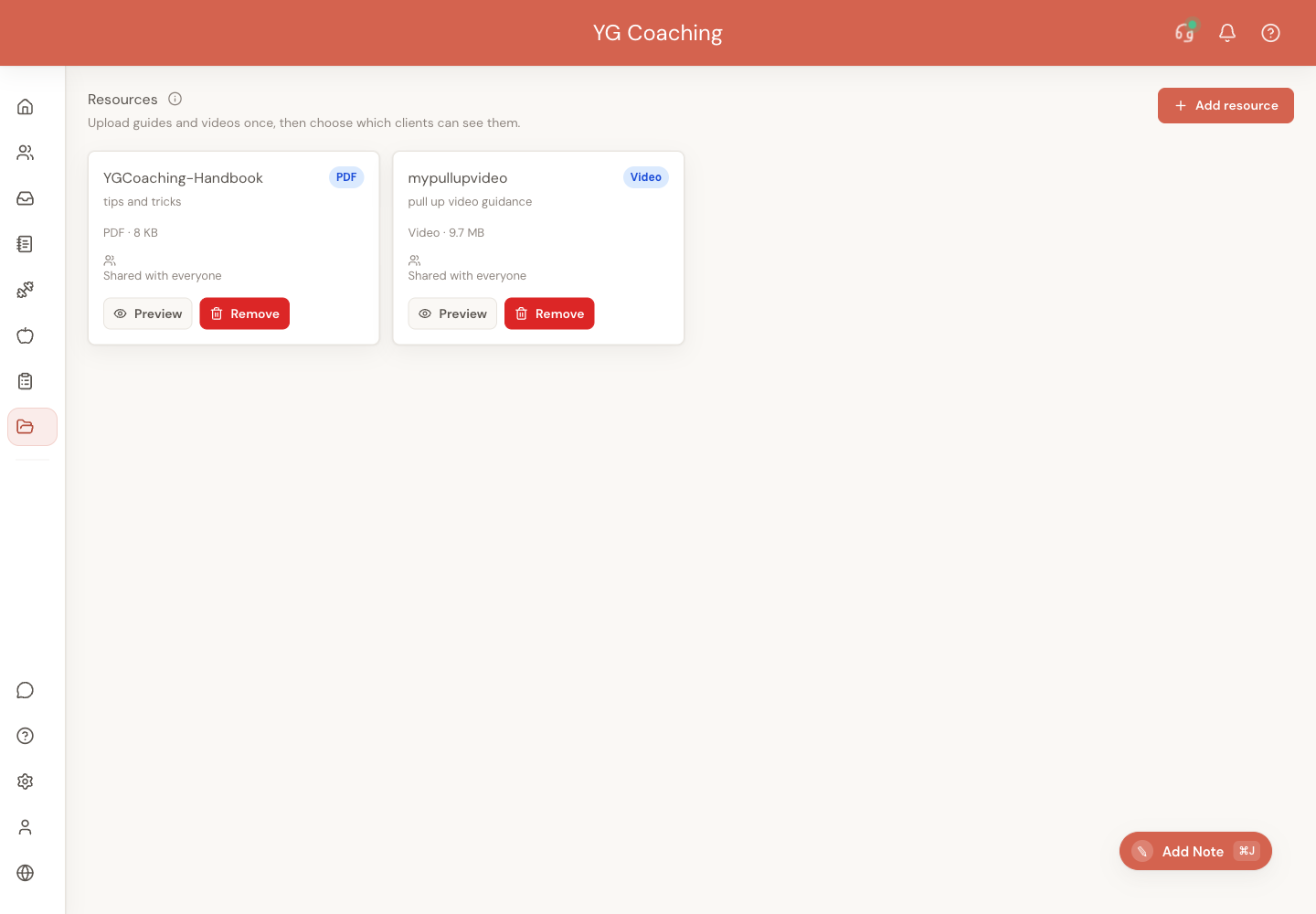
The goal is simple: upload the guide once, choose who should see it, and let clients find it from the same place they already check their plans.
Add a resource
Open Resources from the coach sidebar, then click Add resource.
You can upload:
- PDFs up to 25 MB
- MP4 videos up to 500 MB
Give the resource a clear title and an optional short note. The note appears in the client app, so write it the same way you would explain the resource in a message.
Good examples:
Start here before your first check-inNutrition guide for travel weeksWelcome-back video
Videos are optimized before upload when your browser can safely shrink them. If optimization is not available, Assistant Coach uploads the original MP4 as long as it is within the size limit.
Choose who can see it
When you upload, choose one of two sharing options:
- Selected clients — only the clients you pick can see it.
- All current and future clients — everyone in your active client list can see it now, and new clients will see it automatically.
You can also open a single client dashboard, go to Resources, and upload or assign a resource just for that client.
Replace an outdated file
You can update a PDF or video without deleting the resource and sharing it again.
- Open Resources and click the pencil beside the resource name.
- Under File, click Replace file….
- Choose a new file of the same type, then click Replace file.
The resource keeps its name, client note, and sharing. Clients see the new version the next time they open it.
You can replace a PDF with another PDF, or a video with another video. The old file cannot be restored after replacement, so Assistant Coach shows both the current resource and the new filename before you confirm.
If an upload is interrupted before the replacement finishes, the current file remains available. Reconnect and try again.
What clients see
Clients find resources on the Plans tab, below their meal and workout plans, in a section called Guides & videos from your coach.
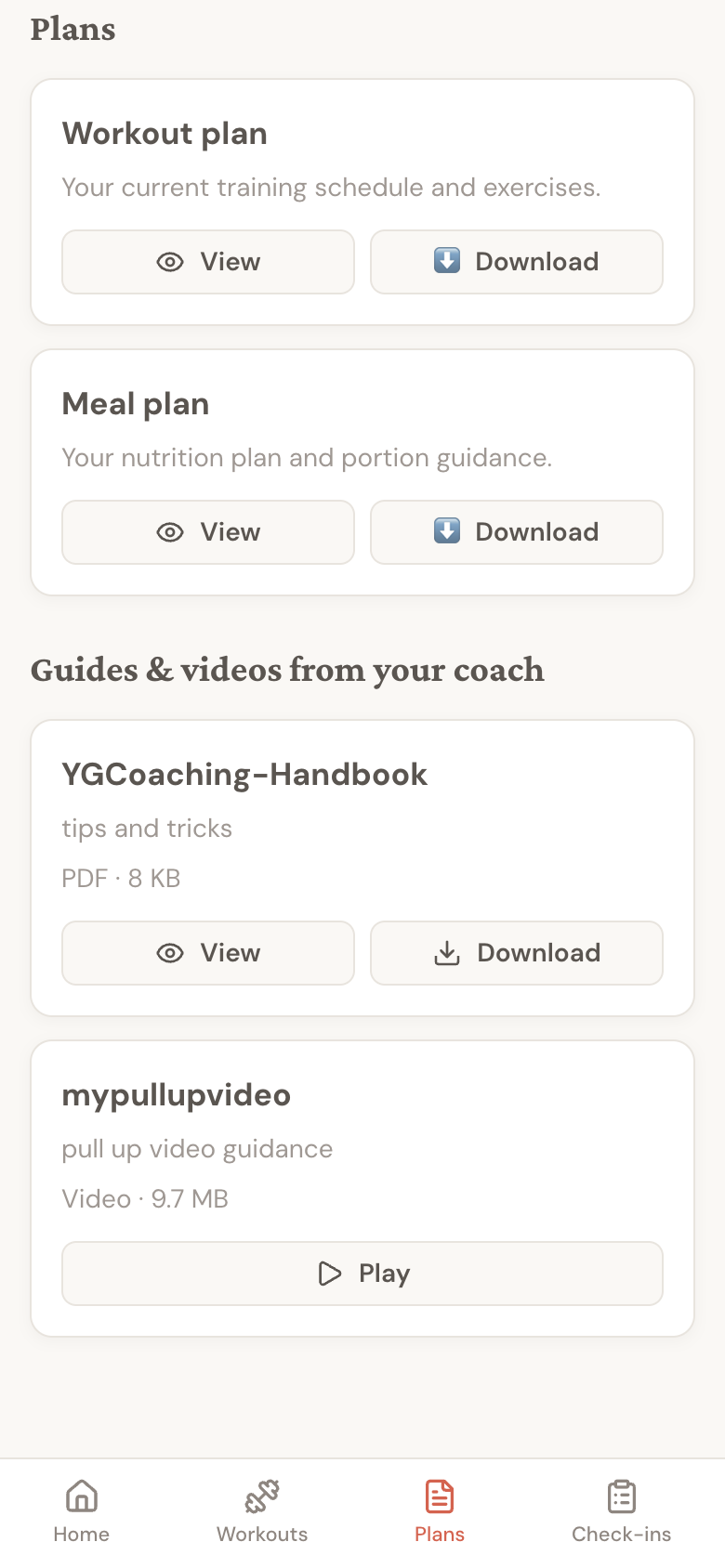
PDFs have View and Download buttons. Videos open inside the client app with normal video controls. Clients stay in Assistant Coach instead of being sent to a separate storage link or browser tab.
Removing access
Removing a resource from the Resources page removes it from client apps. If a resource was shared with selected clients, you can unshare it from an individual client dashboard without deleting the resource for everyone else.
Common ways to use resources
- Share a welcome PDF with every new client.
- Add a short welcome video for onboarding.
- Give selected clients a nutrition guide for a specific phase.
- Keep travel, supplement, or check-in instructions in one place clients can find again.